
Imagine that you check your email on a Tuesday morning and receive a message that appears to be from your bank. Everything looks legitimate, so you click the link without hesitation. Within seconds, malicious software quietly installs itself on your computer, compromising your personal information while remaining completely unnoticed.
Unfortunately, this scenario is not rare. Millions of Americans fall victim to cyber threats every year. According to the FBI’s Internet Crime Complaint Center (IC3), cybercrime continues to rise across the United States, with reported losses exceeding $12.5 billion in 2023. Experts expect these numbers to grow even further throughout 2025 and 2026 as cybercriminals develop more sophisticated attack methods.
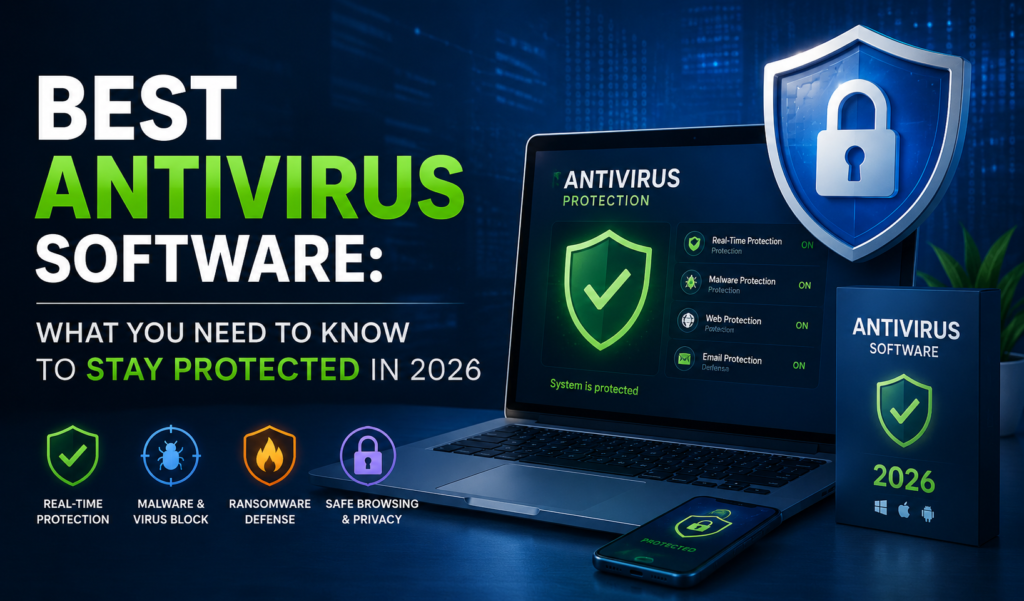
The good news is that many of these threats can be stopped before they cause serious damage. Installing the Best Antivirus Software is one of the most effective ways to protect your devices, personal data, financial information, and online privacy. Modern antivirus solutions do much more than detect viruses—they also defend against ransomware, phishing attacks, spyware, identity theft, and other evolving cyber threats.
What Is Antivirus Software?
An antivirus software is a category of cybersecurity applications used to identify, block and eliminate malicious software from a computer or gadget. The name of these tools refers to their original purpose of countering computer viruses.
- Malware: Malicious software of all kinds.
- Spyware (software tracks what you do)
- Ransomware – Software encrypts files and asks for ransom to unlock them.
- Trojans – malwares masquerade trustworthy programs
- Phishing attacks (fake websites emails to obtain information)
- Rootkits (deep-level malware conceals itself your operating system)
Consider an antivirus software security officer for your computer. It monitors incoming data, compares databases of known hackers, and prevents data from doing any harm.
Why Antivirus Protection Is Important in 2026
A few individuals think that antivirus software is a thing of the past; that Windows 11 or MacOS takes care of security by itself. Well, sort of, but some may find it an unfortunate oversimplification.
The cyber world has changed significantly. Today’s hackers don’t write simple viruses. They create advanced attack sequences which can circumvent built-in system protection, remain undetected for months on end, and harvest information.
Here some of reasons antivirus protection more important now ever:
Cybercrime skyrocketing Cybersecurity Ventures predicts cybercrime will cost the world $10.5 trillion a year 2025. U.S. homes companies among the highest-profile targets.
The expansion of the attack surface due to remote work. Now millions of Americans work from home, many of them on personal devices and via less secure home networks. That opens additional attack avenues for attackers.
Ransomware attacks are getting more personal. It’s not only corporations that are being hit any more! Ransomware has been in focus for everyday Americans, as it starts to encrypt family pictures, important documents, and financial records.
Threats are cropping up in the shape of Artificial Intelligence. Today, cybercriminals employ artificial intelligence (AI) to create authentic phishing emails and create malware that may evade detection.
Key Features to Look for in the Best Antivirus Software
Protection does vary among different antivirus products. As consider your options, some of features really count:
Real-Time Scanning
It’s the core of a powerful anti-virus program. Real-time scanning portrays that there is continuous watching of your system and threats are caught as soon as they attempt to enter, not after the damage has been done.
Malware Detection Rates
Anti-virus products are regularly tested by independent laboratories such as AV-TEST and AV-Comparatives, which report on the detection rates. In these tests, search for the software that has a score of 99% or above in each test.
Ransomware Protection
With the devastating effect that ransomware attacks can have, your antivirus needs ransomware protection — preferably a ransomware monitoring and blocking component.
Phishing and Web Protection
A decent web security bundle will alert you to harmful sites before you visit them and alert you to suspicious links in e-mails. This is especially critical as phishing continues to be one of the top attack methods in the U.S.
Firewall Integration
Certain anti-virus software products have their firewall or function along with your current firewall to offer another level of network safety.
System Performance Impact
The best anti-virus software actually will safeguard you, without causing your computer to slow down. Find tools that are specially made to be lightweight.
Multi-Device Support
For many Americans, a combination of devices is a must have — a laptop, a smartphone, and perhaps even a tablet. Search for antivirus software that will safeguard several appliances using a single subscription.
Automatic Updates
Cyber threats constantly change. Your anti virus software should self-automatically update its threat database to ensure it is always ready for the latest threats.
Different Types of Antivirus Solutions
Knowing various types of Antivirus and Computer Security Software can assist you to choose the right one:
Standalone Antivirus A simple application that is mainly concerned with detecting viruses and malware. Great for users who only need basic protection.
Internet Security Suites: These bit more comprehensive basic antivirus often come with firewalls, phishing filters, parental control features.
The most comprehensive packages, typically featuring VPN access, password managers, cloud backup and other advanced privacy features are called Total Security Packages.
Business Antivirus Solutions They are engineered for small to enterprise-level businesses, providing a centralized management, endpoint protection and additional fine-grained security policy control.
Mobile Antivirus Apps With the increasing threat to mobile devices, having an antivirus app on Android or IOS devices is more essential than ever before particularly for those who perform mobile banking or shopping.
How Antivirus Software Protects Against Modern Cyber Threats
Today’s anti virus software features multiple layers of defense to protect your computer:
Traditional Signature Based Detection. The software scans files against a list of known signatures of malicious programs. Very successful against well-known adversaries.
Heuristic Analysis This examines suspicious behavior or code patterns that match those of malware, but that have never been encountered before. It is vital to detecting zero day threats.
Behavioral Monitoring Behavioral monitoring is not a simple check of the files upon arrival, but instead monitors programs while they are playing. The AV program takes action against an app that begins to behave in ransomware fashion, such as attempting to encrypt hundreds of files in a short period of time.
Cloud-Based Detection Cloud intelligence is built into many modern cybersecurity tools to compare threats to a vast network of cybersecurity intelligence in real-time, in order to get a more comprehensive picture. This will enable quick reaction to new threats.
Machine Learning With some of the advanced antivirus solutions, this AI and machine learning model can detect patterns of malicious activity, which are improving the accuracy of detection over time.
Common Mistakes People Make When Choosing Best Antivirus Software
Even users who want to secure their PCs make mistakes in picking security products for their PCs. These are some to stay away from:
Purchasing on a price basis only. While free antivirus software is a great choice, it is not a superior option or a safe choice if any paid option is offered.
Ignoring compatibility. Not all of them are compatible with all operating systems. Always check to see compatibility with your version of Windows, macOS or your mobile OS.
Having one antivirus software in place. This is quite a popular error. Two anti-virus programs can cause conflicts, and may actually decrease the protection level you have, and slow your system down.
Skipping updates. This means that an antivirus tool that hasn’t been updated for weeks is using outdated threat information. Allow automatic updates to occur on every update.
Bookies and their counterparts in the gaming community suggest that thinking Mac users don’t need protection. Macs are more secure than Windows, on average, but no foolproof security. The number of malware targeting Macs has been drastically rising over the past few years.
Free vs. Paid Antivirus Software: What’s the Difference?
The free versions of antivirus software generally provide basic virus and malware protection. If someone is doing basic browsing, reading e-mail and doesn’t keep particularly sensitive information, then a good free service may be enough.
Paid Antivirus software typically comes with a lot more features – such as ransomware protection, VPN access, phishing filters, password managers, parental controls, and priority customer support.
For everyone who:All cyber security experts agree if you:
- Has online banking or shopping become a regular occurrence in your life?
- Performs work at home and business data management.
- Has internet access without supervision by children
- Carries personal/financial information on their device
A good subscription for antivirus software is generally $30 to $100 a year a small price to pay to prevent or recover from a ransomware attack or identity theft incident.
How to Choose the Right Antivirus for Your Needs
When it comes time to choose a model, there is a lot of different options, and the easiest thing to do is simply to narrow down your options:
Use your threat level as a starting point. Working on a financial or business matter or sensitive data? The higher the stakes the more protective measures are needed.
Take into account the amount of gadgets. For more than one computer, phone or tablet, consider a multi-device solution.
Look at results from third-party laboratories. Unbiased reviews of anti virus products can be found on sites such as AV-TEST, AV-Comparatives and SE Labs. It’s best to check these points out before taking any action.
Peruse Real User Reviews. Don’t be fooled by marketing statements and instead pay attention to customer and user feedback regarding system performance, customer service and usability.
Keep an eye out for a free trial. There are several paid anti-virus software which provide a 30 day free trial. Use these to see how the software will perform on your particular machine before buying it.
Don’t neglect customer support. When things go haywire, you don’t want to be cut off. Ensure that you find one with round-the-clock customer support, particularly for business customers.
Signs Your Computer May Need Antivirus Protection
Occasionally individuals do not know their computer has been compromised until there is damage.
- Notices your computer functioning noticeably slower than normal.
- Programs crashing or acting in ways are different from should.
- There are lots of weird pop-up ads even if no browser is in use.
- Your browser has changed to a site you didn’t choose.Your Browser startup page search engine has been set to a site you didn’t specify.
- You’re receiving new error messages never encountered before.
- Files are missing and/or modified without explanation
FAQs
1. If you Windows Defender, need anti-virus software?
Windows Defender took a giant leap forward and provides adequate basic protection.
2. The answer no, does antivirus software not slow down your computer?
There are antivirus software that affect performance of computers, particularly during complete scans.
3. How often is a full antivirus scan?
The real-time protection feature is constantly active in the background. A full system scan every week or two — or whenever you suspect something is amiss — is generally a fine guideline to follow when it comes to the full system scans.
4. Will anti-virus software protect the Internet?
While antivirus software is an essential part of security, best used in conjunction with other elements of security. Ensuring good password habits, using two factor authentication, keeping software updated regularly being of you click all ways to improve your online safety.
5. Is it possible for smartphones to be infected with viruses?
Yes. The threats mobile devices may vary slightly from threats to PC, but Android devices are particularly susceptible to threats from malware, especially when accessed via third-party app stores.
Conclusion
At Techxenly, we understand that safety is not only a matter of being careful or having the right tools to ensure protection. The most effective antivirus software serves as a continuous layer of defense that works quietly in the background, remaining virtually imperceptible until it encounters the growing number of threats targeting American personal data each and every day.
The important thing to take away from all of this is not that you need to spend a ton of money or become a cybersecurity expert. Rather, it is that a little preparation goes a long way. When it comes to antivirus software, you’ll be far better equipped than most people once you’re familiar with what it does, which features are most important, and how to choose the right solution for your specific needs. At Techxenly, we believe that informed decisions and proactive protection are the foundation of a safer digital experience.